Notifications
The Notifications tab in BMR Mobile is where the app collects everything that needs your attention — and the bell badge tells you how much of it is outstanding.
The bell badge reflects real state
The number on the bell counts everything you actually need to act on:
- Unread notifications
- Tasks assigned to you
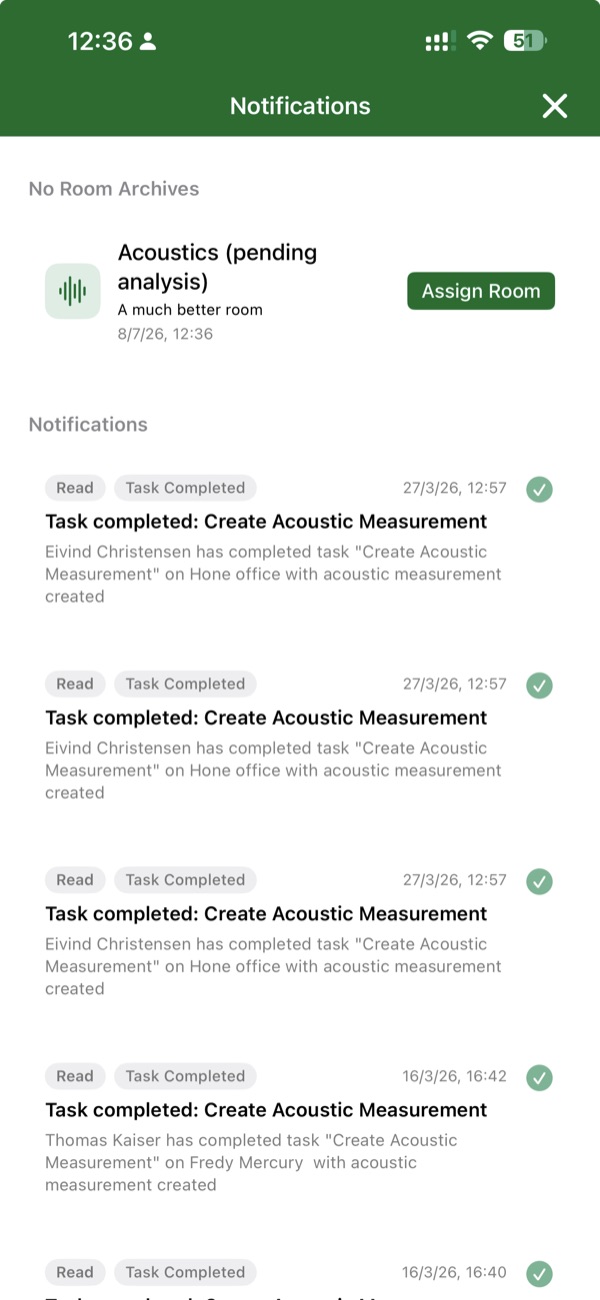
- Pending no-room archives — captures saved without a room yet assigned
- Failed uploads
- Incomplete acoustic measurements
When the badge shows 0, there is nothing waiting for you — the count is a reliable signal rather than a decoration.
Offline captures queue here
Notifications is also where work you did offline waits to be finished:
- An acoustic measurement taken offline queues in Notifications with the note you added describing where you took it.
- When you are back online, upload each measurement individually and assign it to the right room.
Related
- BMR Mobile Acoustics Tutorial — including the offline measurement flow.
- Room Scan — how offline scan and marker uploads are retried.