The Room Page
Every room has a home page that brings its data together in one place — on the Web as the Room Overview, and in BMR Mobile as the Room view. It is where you check a room's status at a glance and jump into scans, markers, acoustics, and designs.
Room Overview on the Web
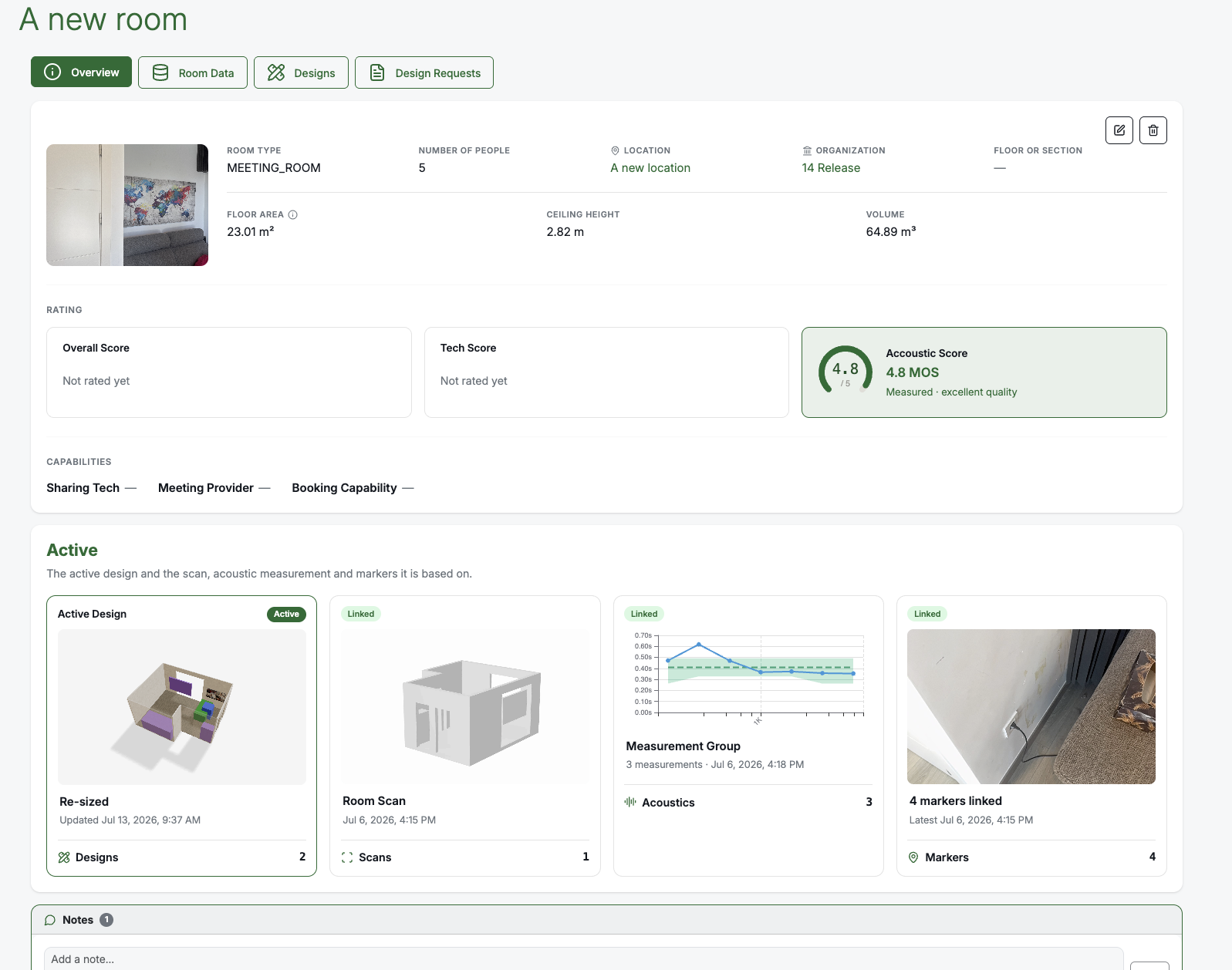
The Room Overview page presents the room's key information up front:
- Room details, ratings, and capabilities at a glance.
- The acoustic score (MOS) — always shown, using the linked measurement when one is set and otherwise the latest measurement. See Reading Acoustic Results.
- An Active section that previews the active Design together with the scan, acoustic measurements, and markers it is based on — so you can see, in one view, the design that represents the room and the data behind it.
Room view in BMR Mobile
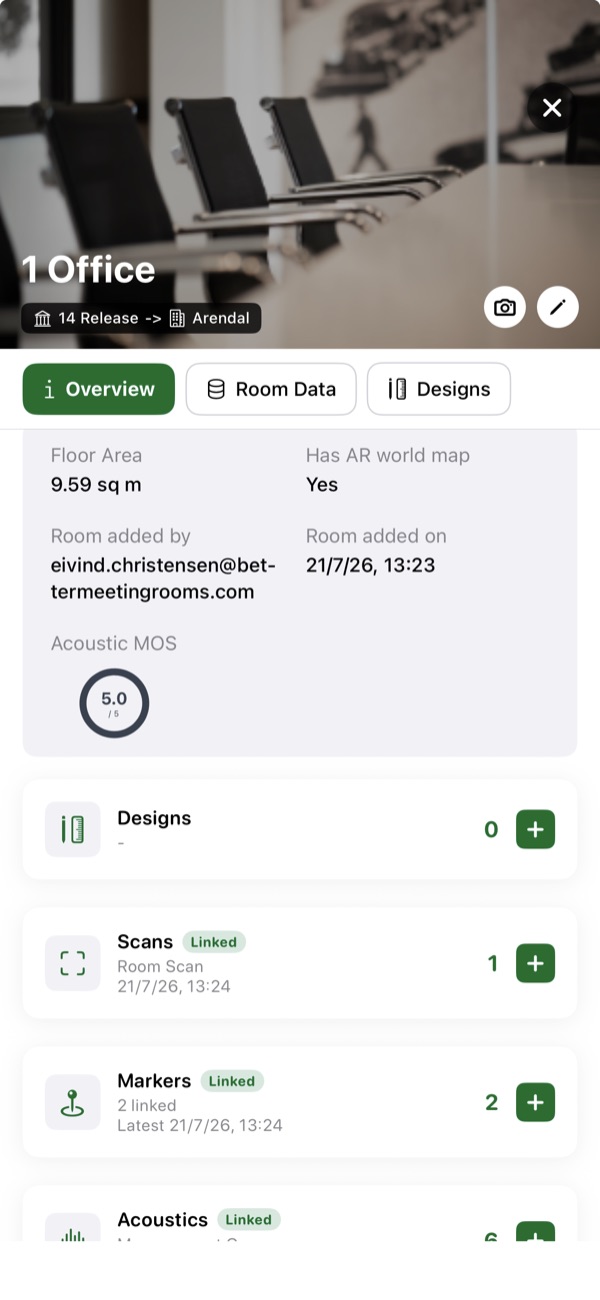
The same room is available in BMR Mobile, where recent improvements make it easier to work with a room on-site:
- Newly created rooms are shown at the top of the room list, so a room you just made is easy to find.
- The active Design and the linked scan, markers, and acoustic measurement are clearly marked, so you can tell at a glance what the room is built from.
- Designs can be deleted directly from inside the Room view.
- A web-only message is shown for VRC designs, which are edited on the Web.
Moving a room
To move a room to a different organisation or location, open the Room Overview page, tap Edit, choose the new organisation and location, and save. See the FAQ for a quick reference.
Related
- Reading Acoustic Results — the room's MOS score and measurements.
- BMR Studio — the active Design and versions.
- Markers — the linked markers shown on the room.