Release 1.4 (BETA) 2026 July
This is a BETA release focused on BMR Mobile — clearer feedback when the room is being recognised, full offline acoustic measurements, and a series of smaller refinements across acoustics, notes, and notifications. No Web platform changes in this release.
BMR Mobile (iPhone / iPad)
See when BMR Mobile recognises your room
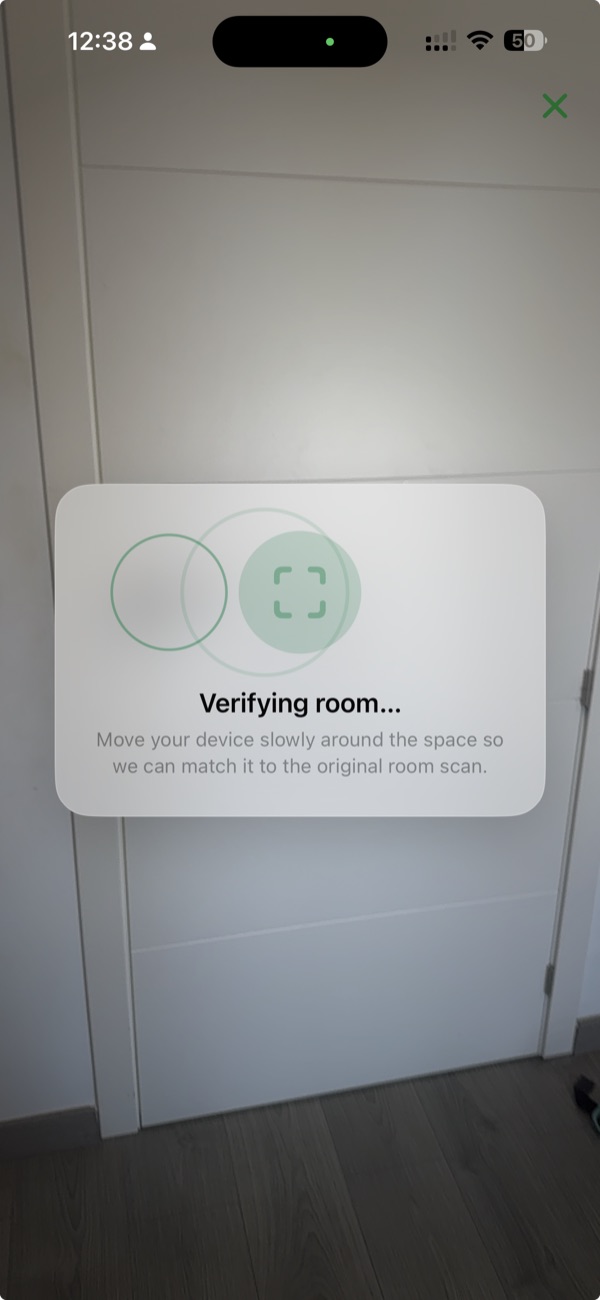
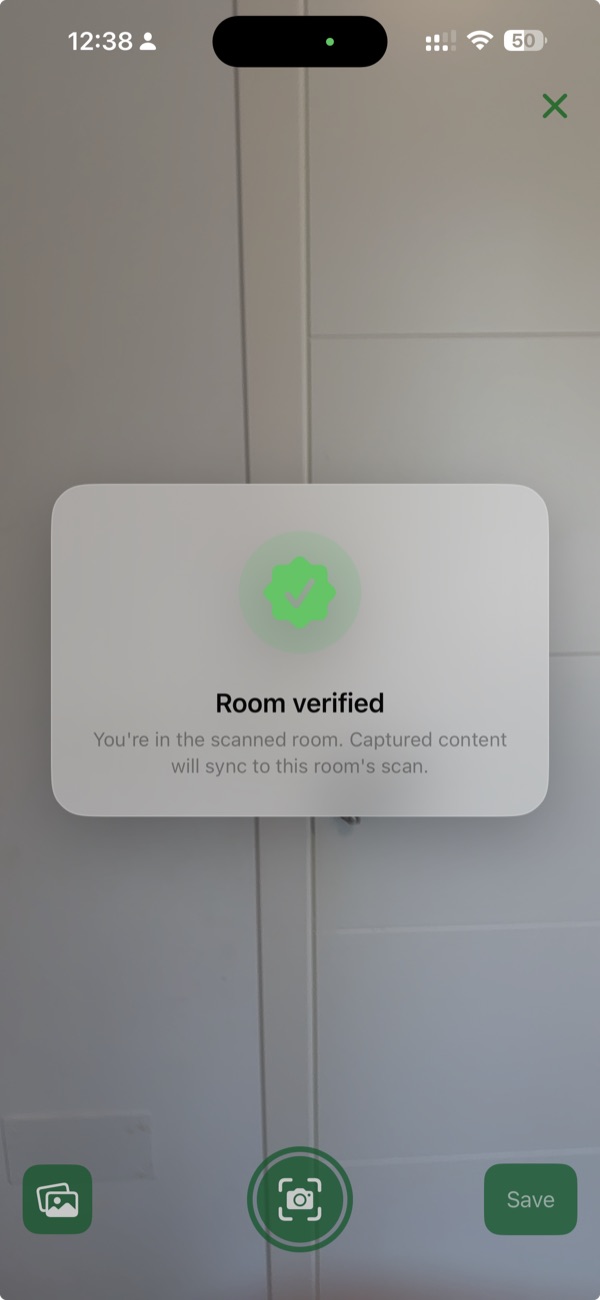
When you start a new AR Design, add a new Marker, or run a new Acoustic Measurement in a scanned room, BMR Mobile now relocalizes against the original scan first — so whatever you capture is anchored to the correct spatial position in the room. You see Verifying room… while it looks, then Room verified once relocalization succeeds. If BMR Mobile cannot find the room, you can Retry or Continue without verification.
Measure acoustics offline
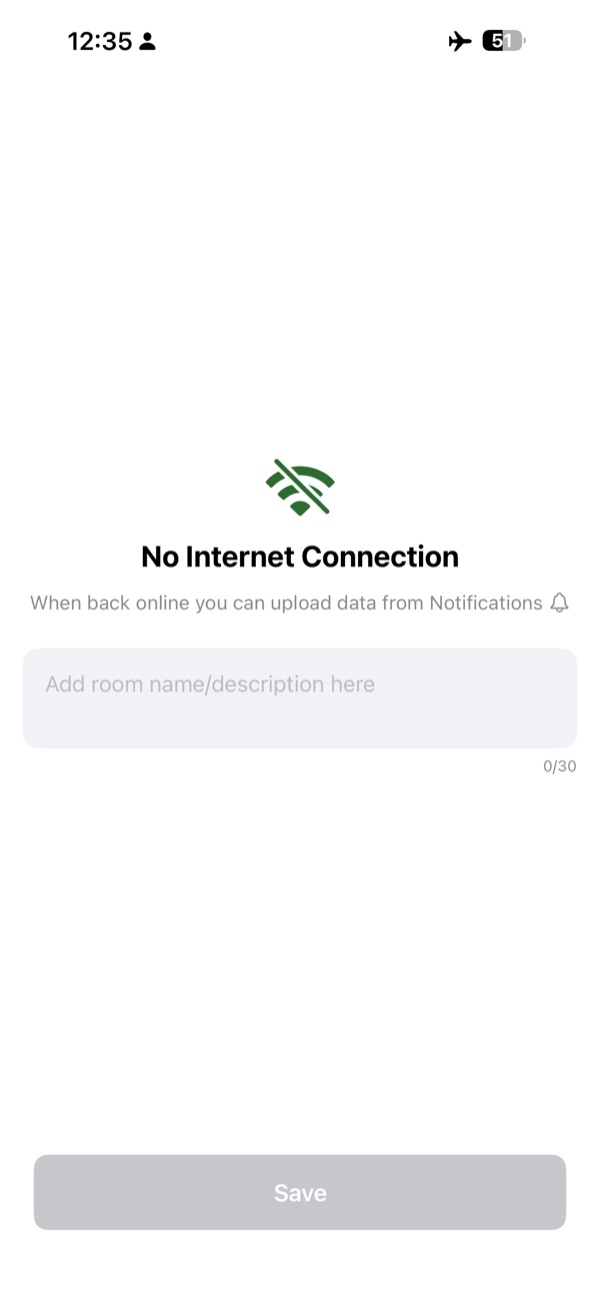
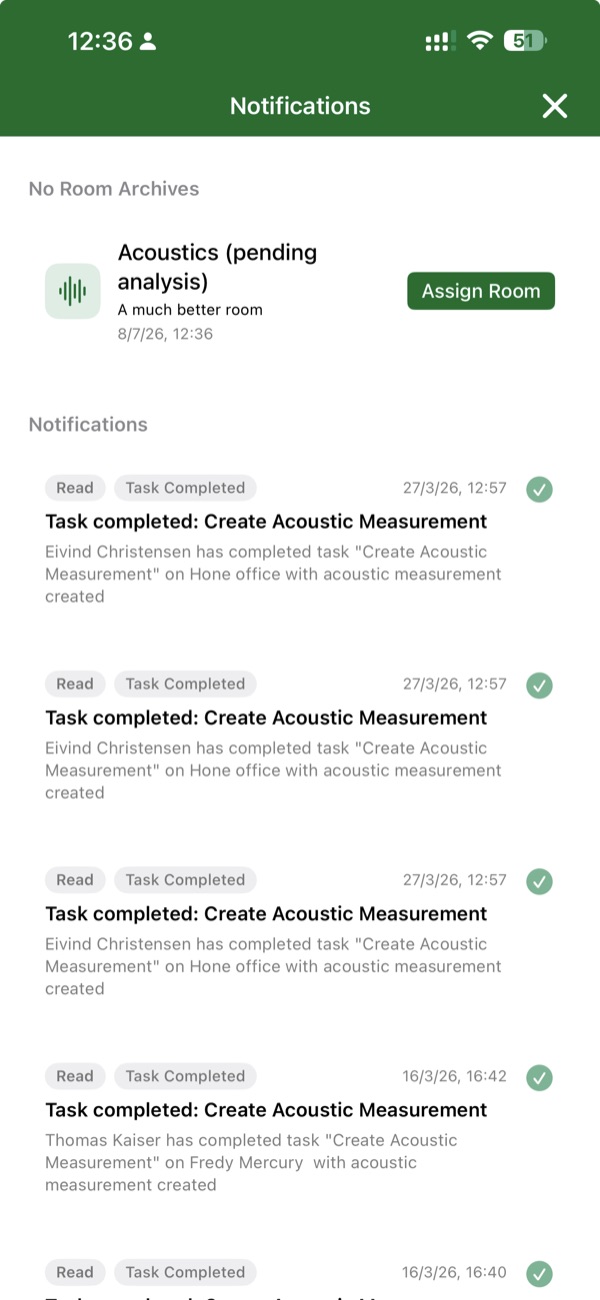
No connection? Full acoustic measurements — including the three-position guided flow — now work without the network. Add a short note describing where you took the measurement, and it queues up in the Notifications tab. When you are back online, upload each measurement individually and assign it to the right room.
Room confirmation before acoustic measurements
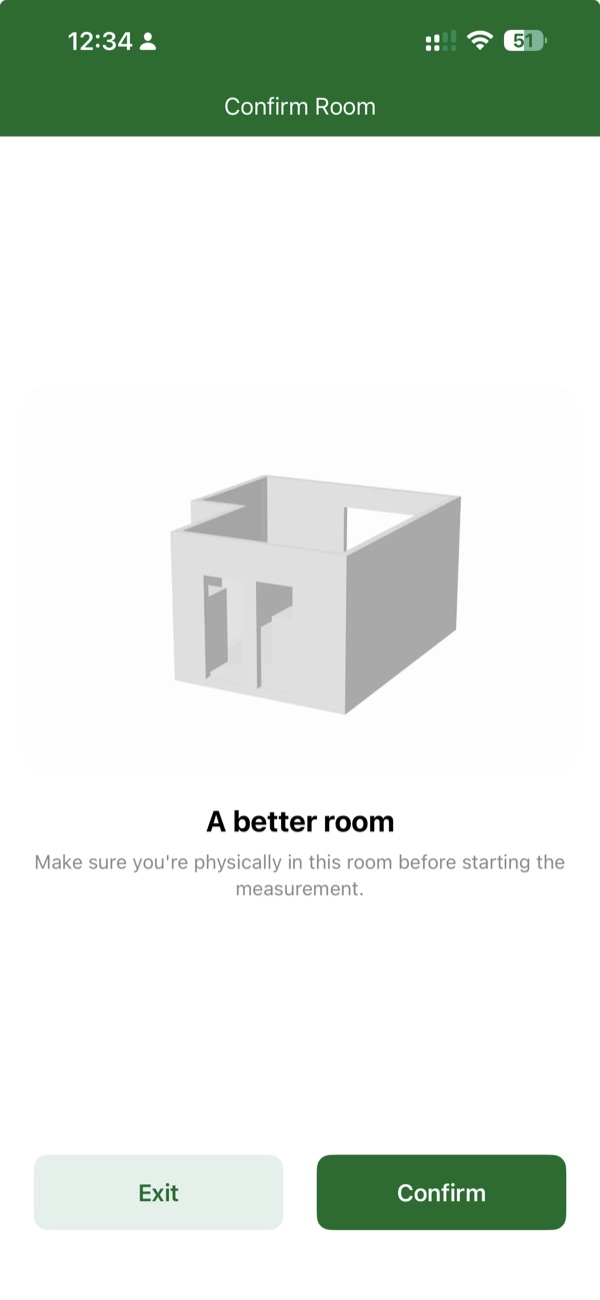
Before starting a new acoustic measurement, BMR Mobile now shows a Confirm Room screen with the room's scan thumbnail and name. Confirming here ensures the measurement is tied to the correct room and its scan — if the thumbnail does not match where you actually are, Exit and open the right room first.
Ambient noise on impulse measurements
Balloon and impulse measurements now surface ambient noise alongside the impulse result — bringing them in line with the sweep flow so you have the same context for interpreting the number regardless of the method.
Cleaner T20 (RT60) chart
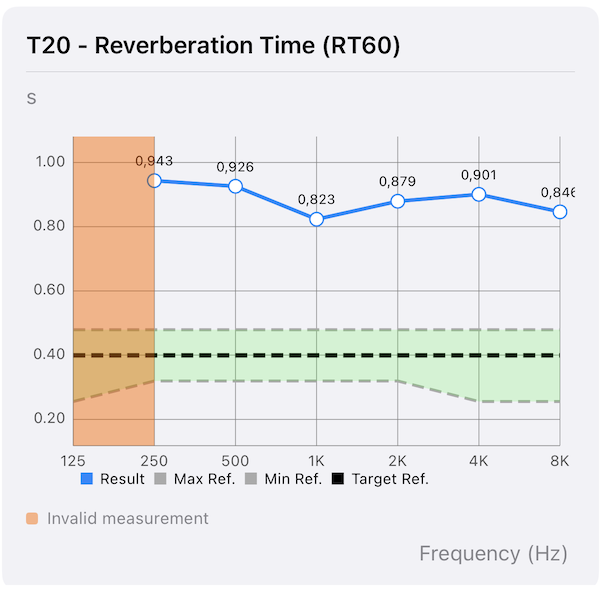
The T20 (RT60) graph now only plots reverberation times the backend considers valid, so unreliable bands do not distract from the useful data. Fewer misleading spikes; the shape of the curve is easier to read at a glance. Bands that were excluded are shaded and labelled Invalid measurement.
Notes on grouped acoustic measurements
You can now add and edit notes on a group of related acoustic measurements — not just on individual ones. Useful when a bundled three-position measurement shares a single story that belongs at the group level rather than repeated on each position.
Notifications reflect real state
The bell badge now counts everything you actually need to act on — unread notifications, tasks, pending no-room archives, failed uploads, and incomplete acoustic measurements. When the badge is 0, there is nothing waiting for you.
End of Release Notes